Guide
How to play games on your smart TV with your phone
Good news: you probably don't need a console. Most smart TVs can already run games, and the phone in your pocket makes a great controller.
The quick answer
- Can you play games on a smart TV? Yes: from the TV's app store, or right in its web browser.
- Phone as the controller: open a browser game on the TV, scan the QR code, and your phone joins the game.
- Nothing to buy: no console, no gamepad, no cables.
Can you play games on a smart TV?
There are two ways. Most smart TVs have an app store with games you download (Samsung even has a whole "Gaming Hub"), and those usually want a gamepad. The other way is easier: browser games. You open a website in the TV's web browser and the game simply starts. Nothing to install, nothing to update.

How playing with your phone as the controller works
- Open the game in your TV's web browser. For JANYM RUN that's janym.run.
- A QR code shows up on the TV. Scan it with your phone's camera.
- Your phone is now connected to the TV, and you're in.
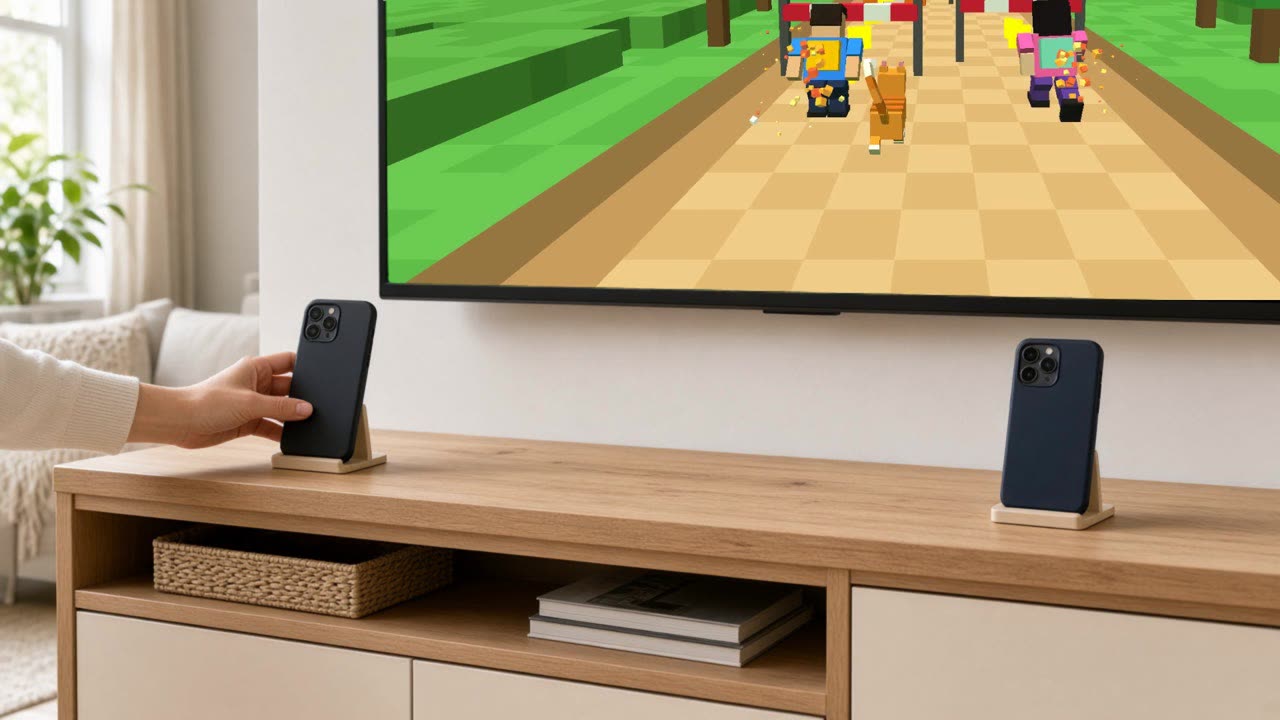
In most phone-controller games you tap and swipe on the screen. JANYM RUN does something sillier and healthier: you lean the phone against something, step back, and its camera watches you. You jump, your runner jumps. You squat, it ducks under the bar. Your body is the controller and the phone just keeps an eye on you.
Which TVs work?
- Samsung and LG smart TVs: they have a web browser built in (look for "Internet" or "Web Browser").
- Amazon Fire TV: use the Silk browser.
- Android TV / Google TV: some come without a browser; you can add one from the app store.
- Apple TV and Roku: no web browser. Plug a laptop into the TV with an HDMI cable and open the game there instead.
Not sure? Open your TV's list of apps and look for anything called "Internet", "Browser" or "Web". Found one? You're good to go.
Family games on the TV, with everyone's phone
Phone-controller games are great for playing together, because everybody already has a controller in their pocket. In JANYM RUN two players run side by side, each with their own phone, and an orange cat runs between them. High five each other at the right moment and you charge a team combo. It's the kind of game where the person watching from the sofa ends up laughing louder than the players.
Tips for a smooth game
- Light: a bright room helps the phone see you.
- Distance: put the phone 2 to 3 metres in front of you, so it sees you from head to toe.
- Space: about 2 × 2 metres per player for jumping and squatting.
- Internet: the TV and the phone both need it. Being on the same Wi-Fi can make things a little snappier.
Try it tonight, it's free
Open JANYM RUN on your TV, scan the code with your phone, and start jumping.
Play for free on your TVQuestions people ask
Do I need a console to play games on my TV?
No. Browser games run in your smart TV's web browser, and your phone can be the controller.
Does my phone need an app?
Not for JANYM RUN: you scan the QR code with the camera and play in the phone's browser.
Do the TV and the phone need to be on the same Wi-Fi?
No, both just need internet. The same Wi-Fi can make it a little faster.
Is it free?
JANYM RUN is free to play during the Beta, and the first two worlds stay free.
More guides
- Fun exercise games for adults (that don't feel like a workout)
Workouts are easier when they feel like a game. The fun kinds of exercise games for adults, and which one fits you.
- Looking for a Kinect alternative? Your phone can do it
Miss jumping around to Kinect games? Your phone's camera can take its place, on the TV you already have.
- The best game to play on TV with family and friends is the one where everybody moves
Why a game you play with your body beats joysticks, consoles and phone games when everyone is together.